<!DOCTYPE html>
    <html lang="vi" xmlns="http://www.w3.org/1999/xhtml" prefix="og: http://ogp.me/ns#">
    <head>
<title>Cách hoạt động tạo tài khoản drive google one không giới hạn dung lượng</title>
<meta name="description" content="Cách hoạt động tạo tài khoản drive google one không giới hạn dung lượng - Savefile - Tin Tức -...">

<meta name="author" content="Mua Bán tài khoản Google Drive , One, Unlimited không giới hạn dung lượng">
<meta name="copyright" content="Mua Bán tài khoản Google Drive , One, Unlimited không giới hạn dung lượng [webmaster@tochucteambuildingtour.com]">
<meta name="generator" content="NukeViet v4.5">
<meta name="viewport" content="width=device-width, initial-scale=1">
<meta http-equiv="Content-Type" content="text/html; charset=utf-8">
<meta property="og:title" content="Cách hoạt động tạo tài khoản drive google one không giới hạn dung lượng">
<meta property="og:type" content="website">
<meta property="og:description" content="Savefile - Tin Tức - https&#x3A;&#x002F;&#x002F;bangoogledrivekhonggioihantaikhoan.com&#x002F;savefile&#x002F;Tin-tuc&#x002F;cach-hoat-dong-tao-tai-khoan-drive-google-one-khong-gioi-han-dung-luong-99.html">
<meta property="og:site_name" content="Mua Bán tài khoản Google Drive , One, Unlimited không giới hạn dung lượng">
<meta property="og:url" content="https://bangoogledrivekhonggioihantaikhoan.com/savefile/Tin-tuc/cach-hoat-dong-tao-tai-khoan-drive-google-one-khong-gioi-han-dung-luong-99.html">
<link rel="shortcut icon" href="https://bangoogledrivekhonggioihantaikhoan.com/uploads/favico.png">
<link rel="canonical" href="https://bangoogledrivekhonggioihantaikhoan.com/savefile/Tin-tuc/cach-hoat-dong-tao-tai-khoan-drive-google-one-khong-gioi-han-dung-luong-99.html">
<link rel="alternate" href="https://bangoogledrivekhonggioihantaikhoan.com/rss/" title="Tin Tức" type="application/rss+xml">
<link rel="alternate" href="https://bangoogledrivekhonggioihantaikhoan.com/rss/Tin-tuc/" title="Tin Tức - Tin tức" type="application/rss+xml">
<link rel="alternate" href="https://bangoogledrivekhonggioihantaikhoan.com/rss/San-pham/" title="Tin Tức - Sản phẩm" type="application/rss+xml">
<link rel="alternate" href="https://bangoogledrivekhonggioihantaikhoan.com/rss/Doi-tac/" title="Tin Tức - Đối tác" type="application/rss+xml">
<link rel="alternate" href="https://bangoogledrivekhonggioihantaikhoan.com/rss/Tuyen-dung/" title="Tin Tức - Tuyển dụng" type="application/rss+xml">
<link rel="preload" as="style" href="https://bangoogledrivekhonggioihantaikhoan.com/assets/css/font-awesome.min.css" type="text/css">
<link rel="preload" as="style" href="https://bangoogledrivekhonggioihantaikhoan.com/themes/default/css/bootstrap.min.css" type="text/css">
<link rel="preload" as="style" href="https://bangoogledrivekhonggioihantaikhoan.com/themes/default/css/style.css" type="text/css">
<link rel="preload" as="style" href="https://bangoogledrivekhonggioihantaikhoan.com/themes/default/css/style.responsive.css" type="text/css">
<link rel="preload" as="style" href="https://bangoogledrivekhonggioihantaikhoan.com/themes/default/css/news.css" type="text/css">
<link rel="preload" as="style" href="https://bangoogledrivekhonggioihantaikhoan.com/themes/default/css/custom.css" type="text/css">
<link rel="preload" as="script" href="https://bangoogledrivekhonggioihantaikhoan.com/assets/js/jquery/jquery.min.js" type="text/javascript">
<link rel="preload" as="script" href="https://bangoogledrivekhonggioihantaikhoan.com/assets/js/language/vi.js" type="text/javascript">
<link rel="preload" as="script" href="https://bangoogledrivekhonggioihantaikhoan.com/assets/js/DOMPurify/purify3.js" type="text/javascript">
<link rel="preload" as="script" href="https://bangoogledrivekhonggioihantaikhoan.com/assets/js/global.js" type="text/javascript">
<link rel="preload" as="script" href="https://bangoogledrivekhonggioihantaikhoan.com/assets/js/site.js" type="text/javascript">
<link rel="preload" as="script" href="https://bangoogledrivekhonggioihantaikhoan.com/themes/default/js/news.js" type="text/javascript">
<link rel="preload" as="script" href="https://bangoogledrivekhonggioihantaikhoan.com/themes/default/js/main.js" type="text/javascript">
<link rel="preload" as="script" href="https://bangoogledrivekhonggioihantaikhoan.com/themes/default/js/custom.js" type="text/javascript">
<link rel="preload" as="script" href="https://bangoogledrivekhonggioihantaikhoan.com/themes/default/js/bootstrap.min.js" type="text/javascript">
<link rel="stylesheet" href="https://bangoogledrivekhonggioihantaikhoan.com/assets/css/font-awesome.min.css">
<link rel="stylesheet" href="https://bangoogledrivekhonggioihantaikhoan.com/themes/default/css/bootstrap.min.css">
<link rel="stylesheet" href="https://bangoogledrivekhonggioihantaikhoan.com/themes/default/css/style.css">
<link rel="stylesheet" href="https://bangoogledrivekhonggioihantaikhoan.com/themes/default/css/style.responsive.css">
<link rel="StyleSheet" href="https://bangoogledrivekhonggioihantaikhoan.com/themes/default/css/news.css">
<link rel="stylesheet" href="https://bangoogledrivekhonggioihantaikhoan.com/themes/default/css/custom.css">
<style>
.hotline-float {
    position: fixed;
    /* right: 0; */
    bottom: 20px;
    background: url(/themes/default/images/phones.png) no-repeat center right;
    width: 250px;
    height: 90px;
    z-index: 99999999;
}
.hotline-float a {
    margin-right: 4px;
    margin-top: 0px;
    display: inline-block;
    float: right;
    padding: 46px 16px;
    font-size: 25px;
    font-weight: bold;
    color: #fff;
    z-index: 99999999;
    text-decoration: none;
}
    .zalo-container img {
  max-width: 100%;
  height: auto;
}

.zalo-container {
  position: fixed;
  width: 40px;
  height: 40px;
  bottom: 160px;
  z-index: 9999999;
}

.zalo-container:not(.right) {
  left: 2.5rem;
}

.zalo-container.right {
  right: 2.5rem;
}

.zalo-container a {
    display: block;
}

.zalo-container span {
  display: -webkit-flex;
  display: -moz-flex;
  display: -ms-flex;
  display: -o-flex;
  display: flex;
  -ms-align-items: center;
  align-items: center;
  width: 40px;
  height: 40px;
  border-radius: 50%;
  background: #1182FC;
  position: relative;
}

@keyframes zoomIn_zalo {
    from {
        opacity: 0;
        transform: scale3d(.3, .3, .3);
    }
    50% {
        opacity: 1;
    }
}

.zoomIn_zalo {
  animation-name: zoomIn_zalo;
}

.animated_zalo {
  animation-duration: 1s;
  animation-fill-mode: both;
}

.animated_zalo.infinite {
  animation-iteration-count: infinite;
}

.cmoz-alo-circle {
  width: 50px;
  height: 50px;
  top: -5px;
  right: -5px;
  position: absolute;
  background-color: transparent;
  -webkit-border-radius: 100%;
  -moz-border-radius: 100%;
  border-radius: 100%;
  border: 2px solid rgba(17, 130, 252, .8);
  opacity: .1;
  border-color: #1182FC;
  opacity: .5;
}

.cmoz-alo-circle-fill {
  width: 60px;
  height: 60px;
  top: -10px;
  position: absolute;
  -webkit-transition: all 0.2s ease-in-out;
  -moz-transition: all 0.2s ease-in-out;
  -ms-transition: all 0.2s ease-in-out;
  -o-transition: all 0.2s ease-in-out;
  transition: all 0.2s ease-in-out;
  -webkit-border-radius: 100%;
  -moz-border-radius: 100%;
  border-radius: 100%;
  border: 2px solid transparent;
  -webkit-transition: all .5s;
  -moz-transition: all .5s;
  -o-transition: all .5s;
  transition: all .5s;
  background-color: rgba(17, 130, 252, 0.45);
  opacity: .75;
  right: -10px;
}

@-webkit-keyframes pulse_zalo {
  from {
    -webkit-transform: scale3d(1, 1, 1);
    transform: scale3d(1, 1, 1);
  }

  50% {
    -webkit-transform: scale3d(1.05, 1.05, 1.05);
    transform: scale3d(1.05, 1.05, 1.05);
  }

  to {
    -webkit-transform: scale3d(1, 1, 1);
    transform: scale3d(1, 1, 1);
  }
}

@keyframes pulse_zalo {
  from {
    -webkit-transform: scale3d(1, 1, 1);
    transform: scale3d(1, 1, 1);
  }

  50% {
    -webkit-transform: scale3d(1.05, 1.05, 1.05);
    transform: scale3d(1.05, 1.05, 1.05);
  }

  to {
    -webkit-transform: scale3d(1, 1, 1);
    transform: scale3d(1, 1, 1);
  }
}

.pulse_zalo {
  -webkit-animation-name: pulse_zalo;
  animation-name: pulse_zalo;
}
</style>
<style type="text/css">
	body{background: #fff;}
</style>
    </head>
    <body>
<div id="print">
	<div id="hd_print">
		<h2 class="pull-left">Mua Bán tài khoản Google Drive , One, Unlimited không giới hạn dung lượng</h2>
		<p class="pull-right"><a title="Mua Bán tài khoản Google Drive , One, Unlimited không giới hạn dung lượng" href="https://bangoogledrivekhonggioihantaikhoan.com/">https://bangoogledrivekhonggioihantaikhoan.com</a></p>
	</div>
	<div class="clear"></div>
	<hr />
	<div id="content">
		<h1>Cách hoạt động tạo tài khoản drive google one không giới hạn dung lượng</h1>
		<ul class="list-inline">
			<li>Thứ bảy - 05/10/2024 01:17</li>
			<li class="hidden-print txtrequired"><em class="fa fa-print">&nbsp;</em><a title="In ra" href="javascript:;" onclick="window.print()">In ra</a></li>
			<li class="hidden-print txtrequired"><em class="fa fa-power-off">&nbsp;</em><a title="Đóng cửa sổ này" href="javascript:;" onclick="window.close()">Đóng cửa sổ này</a></li>
		</ul>
		<div class="clear"></div>
		<div id="hometext">
			Cách hoạt động tạo tài khoản drive google one không giới hạn dung lượng.Mỗi Tài khoản Google mặc định được cung cấp 15 GB bộ nhớ dùng chung cho các dịch vụ Gmail, Google Drive và Google Photos.
		</div>
				<div class="imghome">
			<img alt="Cách hoạt động tạo tài khoản drive google one không giới hạn dung lượng &#40;2&#41;" src="https://bangoogledrivekhonggioihantaikhoan.com/uploads/news/2024_10/cach-hoat-dong-tao-tai-khoan-drive-google-one-khong-gioi-han-dung-luong-2.jpg" width="460" class="img-thumbnail" />
						<p>
				<em>Cách hoạt động tạo tài khoản drive google one không giới hạn dung lượng &#40;2&#41;</em>
			</p>
		</div>
		<div class="clear"></div>
		<div id="bodytext" class="clearfix">
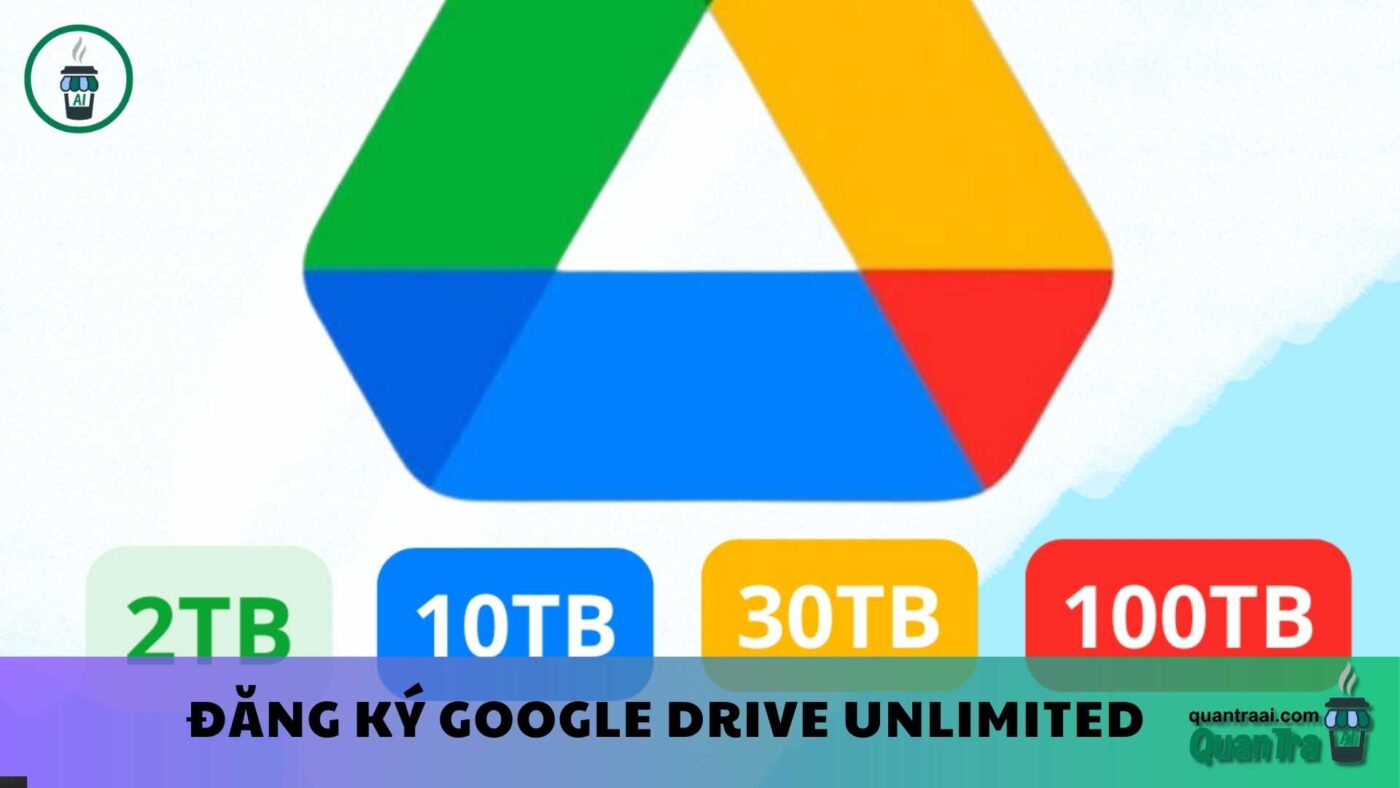
			<p>Cách hoạt động tạo tài khoản drive google one không giới hạn dung lượngCách hoạt động của bộ nhớ Tài khoản Google</p><p>Mỗi Tài khoản Google mặc định được cung cấp 15 GB bộ nhớ dùng chung cho các dịch vụ Gmail, Google Drive và Google Photos. Nếu bạn cần thêm dung lượng, có thể nâng cấp lên các gói thành viên Google One. Ngoài ra, đôi khi Google sẽ cung cấp các chương trình khuyến mãi hoặc giao dịch đặc biệt để bạn nhận thêm dung lượng. Bạn cũng có thể tìm hiểu cách giải phóng hoặc nâng cấp bộ nhớ, cũng như kiểm soát cách sử dụng dung lượng.</p><h3>Những chính sách ảnh hưởng đến bộ nhớ của Tài khoản Google</h3><h4>Nội dung tính vào dung lượng bộ nhớ của bạn:<br /><strong>Cách hoạt động tạo tài khoản drive google one không giới hạn dung lượng</strong></h4><figure class="image"><img style="aspect-ratio:1000/560;" src="https://bangoogledrivekhonggioihantaikhoan.com/uploads/news/2024_10/cach-hoat-dong-tao-tai-khoan-drive-google-one-khong-gioi-han-dung-luong-1.jpg" alt="Cách hoạt động tạo tài khoản drive google one không giới hạn dung lượng (1)" width="1000" height="560" /></figure><ul><li>Ảnh và video được sao lưu lên Google Photos ở chế độ <strong>Chất lượng gốc</strong>.</li><li>Ảnh và video được sao lưu từ ngày 1/6/2021 trở đi ở chế độ <strong>Chất lượng cao</strong> (nay gọi là <strong>Chất lượng tiết kiệm dung lượng</strong>) hoặc <strong>Chất lượng sao lưu nhanh</strong>. Những ảnh và video đã được sao lưu ở các chế độ này trước ngày 1/6/2021 sẽ không bị tính vào dung lượng.</li><li><strong>Thư và tệp đính kèm</strong> trong Gmail, bao gồm cả thư mục Thư rác và Thùng rác.</li><li><strong>Tệp trong Google Drive</strong>, bao gồm PDF, hình ảnh và video.</li><li><strong>Bản ghi cuộc gọi</strong> trên Google Meet.</li><li>Những tệp được tạo hoặc chỉnh sửa từ <strong>Google Tài liệu, Trang tính, Trang trình bày, Bản vẽ, Biểu mẫu, Máy ghi âm</strong> và <strong>Jamboard</strong> sau ngày 1/6/2021 sẽ được tính vào dung lượng. Các tệp đã tạo hoặc chỉnh sửa trước ngày này sẽ không tính vào bộ nhớ của bạn.<br /><i>Cách hoạt động tạo tài khoản drive google one không giới hạn dung lượng</i></li></ul><p><i>Lưu ý:</i> Dữ liệu sao lưu từ WhatsApp trên Android cũng sẽ sớm được tính vào bộ nhớ của Tài khoản Google.</p><h3>Điều gì xảy ra khi bạn vượt quá hạn mức bộ nhớ?</h3><p>Nếu bạn sử dụng nhiều dung lượng hơn mức được cấp, những vấn đề sau có thể xảy ra:</p><ul><li>Bạn không thể tải tệp hoặc hình ảnh mới lên Google Drive.</li><li>Việc sao lưu ảnh và video mới vào Google Photos sẽ bị dừng.</li><li>Khả năng gửi và nhận email trong Gmail sẽ bị hạn chế.</li><li>Bạn không thể tạo các tệp mới trong Google Tài liệu, Trang tính, Trang trình bày, Bản vẽ, Biểu mẫu và Jamboard.</li><li>Việc sao lưu các tệp mới trong Máy ghi âm sẽ bị dừng.</li><li><figure class="image"><img style="aspect-ratio:1400/788;" src="https://bangoogledrivekhonggioihantaikhoan.com/uploads/news/2024_10/cach-hoat-dong-tao-tai-khoan-drive-google-one-khong-gioi-han-dung-luong-2.jpg" alt="Cách hoạt động tạo tài khoản drive google one không giới hạn dung lượng (2)" width="1400" height="788" /></figure></li></ul><p><i>Lưu ý:</i> Bạn vẫn có thể đăng nhập và truy cập vào Tài khoản Google của mình, nhưng các tính năng trên sẽ bị hạn chế nếu không giải phóng dung lượng.</p><p>Nếu bạn vượt quá hạn mức trong <strong>hơn 2 năm</strong> và không giải phóng hoặc mua thêm dung lượng, tất cả nội dung của bạn trên Gmail, Google Photos, và Google Drive (bao gồm cả các tệp trên Google Tài liệu, Trang tính, Trang trình bày, Bản vẽ, Biểu mẫu và Jamboard) có thể bị xóa.</p><p>Trước khi nội dung bị xóa, Google sẽ:<br /><u>Cách hoạt động tạo tài khoản drive google one không giới hạn dung lượng</u></p><ul><li>Gửi thông báo qua email và trong các sản phẩm của Google ít nhất 3 tháng trước khi nội dung bị xóa.</li><li>Cung cấp cơ hội để bạn tránh việc xóa nội dung bằng cách mua thêm bộ nhớ hoặc xóa bớt tệp.</li><li>Cung cấp công cụ để bạn tải nội dung của mình xuống.</li></ul><h3>Cách quay về dưới hạn mức bộ nhớ</h3><figure class="image"><img style="aspect-ratio:640/426;" src="https://bangoogledrivekhonggioihantaikhoan.com/uploads/news/2024_10/cach-hoat-dong-tao-tai-khoan-drive-google-one-khong-gioi-han-dung-luong.jpg" width="640" height="426" alt="Cách hoạt động tạo tài khoản drive google one không giới hạn dung lượng" /></figure><p>Google cung cấp công cụ quản lý bộ nhớ để bạn có thể xác định và giải phóng dung lượng. Một cách khác là tải tệp xuống thiết bị cá nhân rồi xóa các tệp đó khỏi bộ nhớ đám mây.</p><p>Nếu muốn thêm dung lượng cho Gmail, Google Drive, và Photos, bạn có thể nâng cấp lên các gói lớn hơn thông qua <strong>Google One</strong>.</p><p>&nbsp;</p><p>&nbsp;</p>
		</div>
				<div id="author">
						<p>
				<strong>Tác giả:</strong>
				<a href="https://bangoogledrivekhonggioihantaikhoan.com/author/bientap3nguyenhuy/">bientap3nguyenhuy</a>
			</p>
						<p>
				<strong>Nguồn tin:</strong>
				support.google.   com
			</p>
		</div>
	</div>
	<div id="footer" class="clearfix">
		<div id="url">
			<strong>URL của bản tin này: </strong><a href="https://bangoogledrivekhonggioihantaikhoan.com/savefile/Tin-tuc/cach-hoat-dong-tao-tai-khoan-drive-google-one-khong-gioi-han-dung-luong-99.html" title="Cách hoạt động tạo tài khoản drive google one không giới hạn dung lượng">https://bangoogledrivekhonggioihantaikhoan.com/savefile/Tin-tuc/cach-hoat-dong-tao-tai-khoan-drive-google-one-khong-gioi-han-dung-luong-99.html</a>

		</div>
		<div class="clear"></div>
		<div class="copyright">
			&copy; Mua Bán tài khoản Google Drive , One, Unlimited không giới hạn dung lượng
		</div>
		<div id="contact">
			<a href="mailto:webmaster@tochucteambuildingtour.com">webmaster@tochucteambuildingtour.com</a>
		</div>
	</div>
</div>
        <div id="timeoutsess" class="chromeframe">
            Bạn đã không sử dụng Site, <a onclick="timeoutsesscancel();" href="https://bangoogledrivekhonggioihantaikhoan.com/#">Bấm vào đây để duy trì trạng thái đăng nhập</a>. Thời gian chờ: <span id="secField"> 60 </span> giây
        </div>
        <div id="openidResult" class="nv-alert" style="display:none"></div>
        <div id="openidBt" data-result="" data-redirect=""></div>
<div class="hotline-float">
    <span>
        <a href="tel:0366661221">0366661221</a>
    </span> 
</div>
<div class="zalo-container right" style="bottom:380px;">
            <a id="zalo-btn" href="https://zalo.me/0366661221" target="_blank" rel="noopener noreferrer nofollow">
                                <div class="animated_zalo infinite zoomIn_zalo cmoz-alo-circle"></div>
                <div class="animated_zalo infinite pulse_zalo cmoz-alo-circle-fill"></div>
                <span><img src="https://bangoogledrivekhonggioihantaikhoan.com/themes/default/images/zalo-2.png" alt="Contact Me on Zalo"></span>
                            </a>
        </div>
<div class="zalo-container right" style="bottom:310px;">
            <a id="zalo-btn" href="https://fb.com/[FIX_BANNER_RIGHT]" target="_blank" rel="noopener noreferrer nofollow">
                                <div class="animated_zalo infinite zoomIn_zalo cmoz-alo-circle"></div>
                <div class="animated_zalo infinite pulse_zalo cmoz-alo-circle-fill"></div>
                <span><img src="https://bangoogledrivekhonggioihantaikhoan.com/themes/default/images/fb-2.png" alt="Contact Me on Zalo"></span>
                            </a>
        </div>
<div id="run_cronjobs" style="visibility:hidden;display:none;"><img alt="cron" src="/index.php?second=cronjobs&amp;p=p1vuYm68" width="1" height="1" /></div>
<script src="https://bangoogledrivekhonggioihantaikhoan.com/assets/js/jquery/jquery.min.js"></script>
<script>var nv_base_siteurl="/",nv_lang_data="vi",nv_lang_interface="vi",nv_name_variable="nv",nv_fc_variable="op",nv_lang_variable="language",nv_module_name="news",nv_func_name="savefile",nv_is_user=0, nv_my_ofs=-4,nv_my_abbr="EDT",nv_cookie_prefix="nv4",nv_check_pass_mstime=1738000,nv_area_admin=0,nv_safemode=0,theme_responsive=1,nv_recaptcha_ver=2,nv_recaptcha_sitekey="",nv_recaptcha_type="image",XSSsanitize=1;</script>
<script src="https://bangoogledrivekhonggioihantaikhoan.com/assets/js/language/vi.js"></script>
<script src="https://bangoogledrivekhonggioihantaikhoan.com/assets/js/DOMPurify/purify3.js"></script>
<script src="https://bangoogledrivekhonggioihantaikhoan.com/assets/js/global.js"></script>
<script src="https://bangoogledrivekhonggioihantaikhoan.com/assets/js/site.js"></script>
<script src="https://bangoogledrivekhonggioihantaikhoan.com/themes/default/js/news.js"></script>
<script src="https://bangoogledrivekhonggioihantaikhoan.com/themes/default/js/main.js"></script>
<script src="https://bangoogledrivekhonggioihantaikhoan.com/themes/default/js/custom.js"></script>
<script type="application/ld+json">
        {
            "@context": "https://schema.org",
            "@type": "Organization",
            "url": "https://bangoogledrivekhonggioihantaikhoan.com",
            "logo": "https://bangoogledrivekhonggioihantaikhoan.com/uploads/logo-yeye2.png"
        }
        </script>
<script src="https://bangoogledrivekhonggioihantaikhoan.com/themes/default/js/bootstrap.min.js"></script>
</body>
</html>